


A LottoGo sign up follows the steps above: open the website, enter your details, pass the identity check and make your deposit. Before you start, have your photo ID and a recent proof of address to hand, plus the payment method you plan to use. You must be 18 or over.
The rest of this page covers what stands behind those steps, what to do if something stalls, and how to keep the account secure once it is open. The welcome offer and its terms are shown in the table above, and T&Cs apply. If you want to see how the offer works first, read the welcome bonus page.
What happens behind the sign-up steps
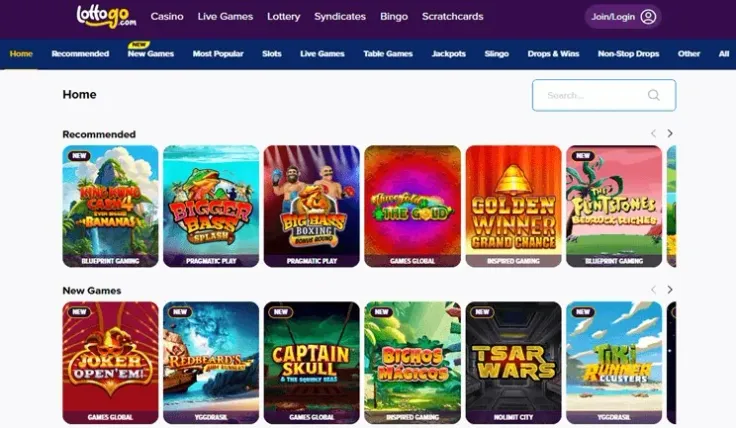
Registration is more than a form. Every UK-licensed operator must verify your age and identity before you can deposit or play, so LottoGo asks for personal details and may ask for documents. The checks are tied to the account you are opening, and the details you enter need to be accurate.
Enter your name, date of birth and address exactly as they appear on your identity documents. Nicknames, shortened first names and old addresses are the most common cause of a mismatch later. If your details differ from your documents, the identity check can stall, and fixing it afterwards takes longer than getting it right the first time.
Only register for yourself. An account belongs to one person, and the name on it needs to match the name on your documents and payment methods.
The documents
LottoGo may ask for the following documents: Photo ID and Recent proof of address. They do different jobs:
- Photo ID shows who you are and that you are 18 or over.
- Proof of address shows where you live. It needs to be recent, so use a current document rather than an old one.
The checks are required, not optional, and you can read more about them in the verification guide. Send clear, complete images with all four corners visible and every line readable. Keep the document's name and address the same as on the registration form.
Payment methods and names
The last step above is the deposit. As general advice, pay with a method that is in your own name, because a payment in someone else's name is likely to cause trouble when the account is checked. Read the deposits guide for the payment options and limits before you pick one.
The welcome offer ties into the deposit step. The offer terms are in the table above, and T&Cs apply. Read the terms before you pay in, not after.
What can take time
Document checks are the step most likely to take longer than you expect. The speed depends on how clear your documents are and how closely they match your registration details. Neither this page nor the brief gives a guaranteed time, so plan your sign up for a moment when you are not in a rush.
18+ · T&Cs apply
Common problems and what to do

Most sign-up problems fall into a few groups. Work through the one that matches your situation before you contact support.
The registration form will not accept your details
Check for typing mistakes first: a transposed digit in your date of birth, a missing letter in your postcode, or an email address with a typo. Use the same spelling as on your ID. If the form still refuses your details, note exactly what you entered and contact support rather than trying different variations.
A document is rejected
Rejections usually come down to the image, not the document. Common causes:
- the photo is blurred, dark or has glare across the text
- part of the document is cut off
- the document is out of date, or the proof of address is not recent
- the name or address on the document differs from the one you registered with
Take a fresh, well-lit image of the whole document on a plain surface and send it again. If the problem is a name or address mismatch, correct your account details by contacting support rather than uploading a different person's document.
The identity check is taking longer than expected
Delays can happen if documents need a second look. Wait for the check to finish before you try to register again, because starting a second account can create further problems. If you are still waiting after a reasonable time, contact support and ask what is outstanding.
A deposit does not go through
Check that the payment method is in your own name, that the details are correct and that the amount meets the minimum shown in the table above. Then see the deposits guide for more on payment methods. If the payment still fails, ask your bank or payment provider whether it blocked the transaction.
You already have an account, or cannot get in
If you registered before and cannot remember your details, do not open another account. Go to the login guide and, if you still cannot get in, contact support to recover the account you already have.
When to contact support
LottoGo offers live chat and email support. Support hours are 24/7 (live chat). When you write, say what you were doing, what you saw and which document, if any, was involved. Never send your password, even to support.
Keeping your account secure and under control

Enter your password only on LottoGo's own website or app. This site has no login or registration form, so if any other page asks for your LottoGo username or password, leave it. Use a password you do not use anywhere else, and do not share it. If you need to reach the casino from this page, use visit LottoGo.
Upload your documents only inside your own LottoGo account, never through a link someone sends you. Keep the images in a safe place on your own device and delete copies you no longer need.
Set a deposit limit when you create the account, before your first deposit, so the amount is decided while you are calm and not in the middle of a session. Time-outs and self-exclusion are also available to you, and GAMSTOP covers all UK-licensed online operators. See the safer gambling page for the tools, or GAMSTOP to register directly.
If you want to confirm the operator behind the site, the Gambling Commission's public register lists licensed businesses.
Finally, read the welcome offer terms in the table above before you make your deposit, and decide whether the offer suits you. It is not a reason to deposit. T&Cs apply.