
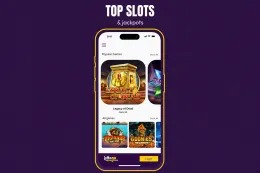
What LottoGo offers on mobile
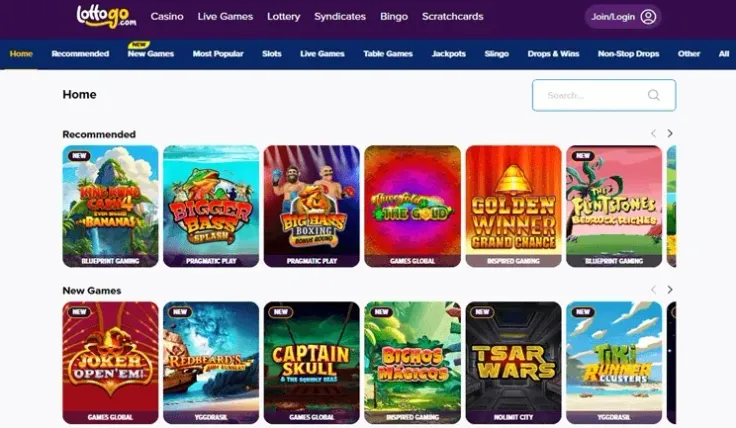
The mobile options come down to three routes. The iPhone app is the only native app. The mobile site runs in your phone's browser. Android has no app, so Android players use the mobile site.
The iPhone app page is the place to go if you want an installed app on an Apple device. The mobile version page covers the browser route, which suits anyone who would rather not install anything or who uses a phone the app does not cover. The Android page is for players on that system who are looking for an app and need to know what to do instead.
Mobile does not change the basics of the casino. LottoGo accepts Debit Card (Visa/Mastercard), PayPal, Apple Pay and Google Pay. The minimum deposit is £20. Withdrawal timings are: Up to 48 hours approval; PayPal a few hours. The deposits page and the withdrawals page cover the steps and conditions.
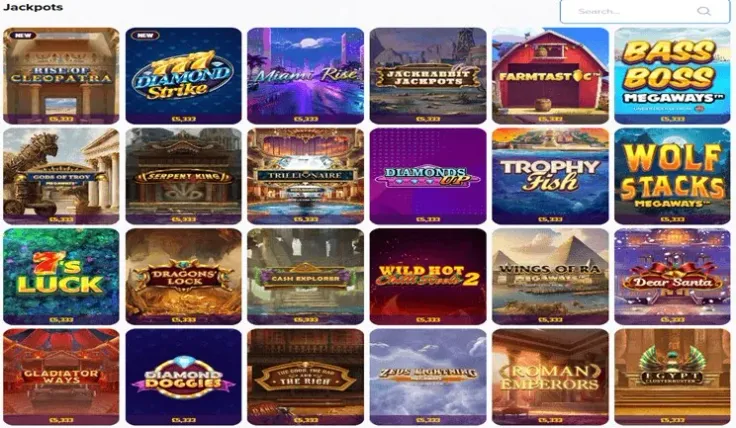
The games come from 18 providers: NetEnt, Nolimit City, Playtech, Blueprint Gaming, Evolution Gaming, Pragmatic Play, Quickspin, Red Tiger Gaming, Playson, BGaming, Wazdan, Booming Games, Relax Gaming, 3 Oaks Gaming, Games Global, Crazy Billions, Reel Kingdom and Hacksaw Gaming. LottoGo also has a live casino. The slots page, games page and live casino page describe what is on offer and how each type of game works.
Support runs 24/7 (live chat), and email is also available. If something goes wrong on your phone, such as a payment that does not go through or a page that will not load, tell support which device and which route you are using. That makes the problem easier to trace. The contact page lists the channels.
iPhone app, mobile site or Android route
The iPhone app is an installed app on an Apple device. It suits players who use LottoGo regularly on an iPhone and like having it as an icon on the home screen. It is available to iPhone users only, so it is no use if you switch between phones or play on a tablet that runs a different system.
The mobile site opens in a browser. There is nothing to install and nothing to update, and it works on iPhone and Android alike. That makes it the simplest way to try LottoGo on a phone before deciding whether an app is worth having. The trade-off is that you are working in a browser window rather than an installed app, so it helps to keep the address saved in your bookmarks.
The Android route is the mobile site, because LottoGo has no Android app. Because there is no Android app, a download offering one did not come from LottoGo. Only install apps from your phone's own app store, and avoid installation files from unfamiliar websites.
The app question is separate from the bonus question. The welcome bonus page covers the offer: 100% Welcome Bonus up to £200 + 120 Free Spins. The key conditions are a minimum deposit of £20, wagering of 10x bonus funds only (7 days); free spins no wagering, and a validity period of 7 days. T&Cs apply. Read the terms before you deposit, whichever route you use to play.
18+ · T&Cs apply
How to choose where to start

Begin with your phone. On an iPhone, the app and the mobile site are both open to you. Try whichever appeals and switch if it does not suit. On an Android phone, the mobile site is the only route, so go straight to the mobile version page.
Then think about payments. LottoGo accepts Debit Card (Visa/Mastercard), PayPal, Apple Pay and Google Pay. Apple Pay needs an Apple device and Google Pay needs a compatible phone, so if you want to pay with a particular wallet, make sure your phone supports it. You can also pay with a debit card or PayPal from any device. PayPal withdrawals are quicker than other methods, with approval in a few hours.
Next, consider how often you will play. If you open LottoGo rarely, a bookmark to the mobile site is enough and saves you maintaining an app. If you play often on an iPhone, an installed app can be more convenient.
Finally, check that the operator is licensed. LottoGo is run by Annexio (Jersey) Limited under licence number 051692-R-329113-016, which you can look up on the Gambling Commission register. The safety page and the legitimacy page go into the licence and the operator in more detail.
Practical tips before you play on your phone

- Use the pages for your route. Follow the iPhone page for the app, the mobile page for the browser route and the Android page if you are on that system. Each covers the steps in more detail than this overview.
- Save the site address. If you play through the browser, a bookmark you created yourself is safer than searching each time or following links in messages.
- Avoid public Wi-Fi for payments. Use your mobile data or a network you trust when you deposit or withdraw.
- Keep your phone locked. Anyone who picks up an unlocked phone with your account open can reach your balance.
- Know the payment details first. The minimum deposit is £20, and withdrawal timings are: Up to 48 hours approval; PayPal a few hours. Choose a method you are happy to use for both deposits and withdrawals.
Set a deposit limit before you play. LottoGo offers deposit limits and time-outs, and the safer gambling page explains how they work. GAMSTOP, at gamstop.co.uk, covers all UK-licensed online casinos.
If you hit a problem, such as a login that fails or a payment that stalls, support is available 24/7 (live chat). The login page covers access issues, and the FAQ answers common account and payment questions.