
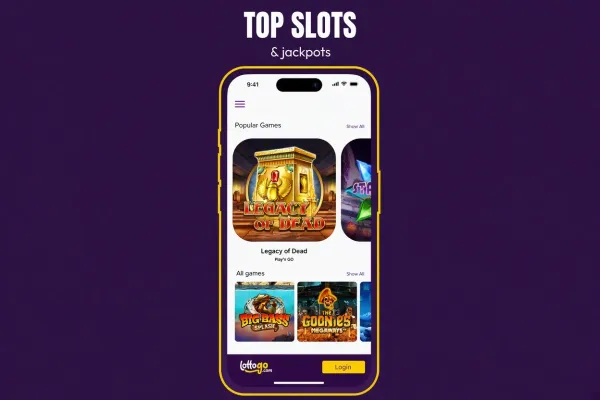
LottoGo has an iOS app, so iPhone and iPad users can install it from the App Store. There is no Android app. Players on any phone can also use the LottoGo mobile site in the browser, with nothing to install.
The app and the mobile site are two ways to reach the same casino on a phone. Choose the one that suits your device and how you prefer to play.
What you can do on your phone

Playing on a phone means reaching LottoGo through a smaller screen, either in the iOS app or in your phone's browser on the mobile site. The games, rules and results do not change with the device. Each game is random, so the screen you use has no effect on how a round ends.
The smaller screen does change how easy it is to read the details. Before each spin or hand, check the bet size shown on screen and the paytable for the game, because both take up less room on a phone. Pay attention to the bet you have chosen before you confirm it.
The slots and live casino sections of this site describe how the games work, including RTP, volatility and maximum win where those are published for a game. The games page gives an overview of the range. Read the rules of a game before you open it, so the phone screen does not surprise you.
How to install the iOS app

Open the App Store on your iPhone or iPad and search for LottoGo. Before you install, check that the listing is the casino's own app and not an app with a similar name. Once it is installed, open it and log in if you already have an account, or sign up if you are new.
The App Store listing shows the requirements for the app, including the iOS version it needs. If your phone does not meet them, use the mobile site in your browser instead. You can open it at any time from visit LottoGo.
LottoGo does not have an Android app, so there is nothing to install on Android. Avoid any file, link or third-party store that offers an app claiming to be LottoGo for Android. Install apps only from the App Store on iPhone, and use the mobile site in the phone's browser on Android.
If you would rather not install anything on iPhone, the mobile site works in your phone's browser too. You will not need to download anything, and the same site is available from visit LottoGo. The app is simply another way to open the site, not a requirement for playing.
Keeping your account safe on your phone

Set a passcode or Face ID on the phone, and do not share the device or the passcode with anyone. Your account is only as secure as the device it is used on. If the phone is lost or stolen, change your password and contact the casino through its contact page.
Do not log in on public Wi-Fi networks you do not trust. If you share a phone with someone else, log out when you finish, so the next person cannot open your account.
Check your data allowance before a longer session on mobile data. Games use more data than a simple web page, and a long session on a limited plan can use up more than you expect.
If you want to limit how much or how long you play, use the deposit limit, time-out and self-exclusion options in your account. UK-licensed operators must offer these tools, and GAMSTOP covers all UK-licensed online operators. The safer gambling page explains each option, and it is worth reading before you set your first limit.
Keep the phone's software up to date and install updates only from the phone's own settings or the App Store. Updates close security gaps that could otherwise be used to reach your accounts, banking apps and messages.