
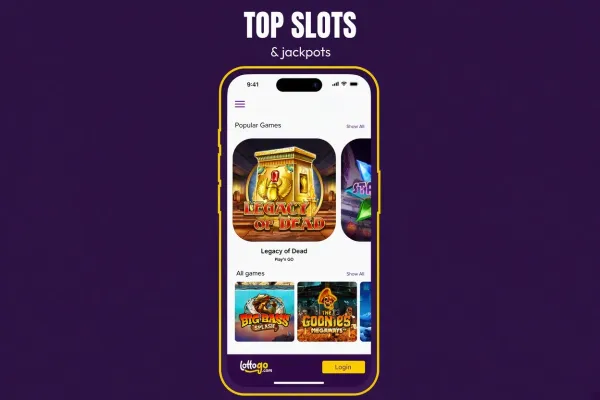
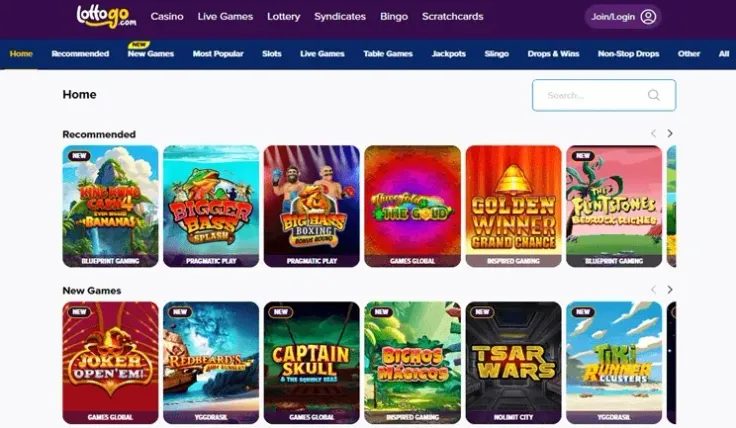
LottoGo mobile means the mobile site: you open LottoGo in your phone's browser and play there, with nothing to download. It works the same way on iPhone and Android. There is also an iPhone app, but no native Android app, so Android players use the browser version.
The steps above show how to open the site and put a shortcut on your home screen. This page covers what to expect on a phone, where the iPhone app fits in, and how to keep your account and data use under control. For the app side on its own, see the LottoGo app page.
What you get on the mobile site

The mobile site is the LottoGo website opened on a phone. If you already have an account, log in with your usual details. If you are new, sign up from the phone itself.
Because it runs in the browser, there is nothing to install and nothing taking up storage. A browser version also has no updates to install. You see the current site each time you open it. The home-screen shortcut is just a quicker way to reach that same website. It is not a separate app.
Expect some differences from the desktop. The screen is smaller, you tap instead of click, and pages are laid out for a narrow display. Before you rely on a particular feature, such as a game or a payment option, open it on your phone and make sure it works the way you expect.
Some rules apply on every device, phone included. UK online slots have a minimum spin time and a maximum stake per spin, and the stake limit is lower for players aged under 25. Autoplay, quick spins and bonus buy are not available on UK slots. If you have seen those features on non-UK sites, you will not find them here, on mobile or on desktop.
The mobile site suits players who want quick access without installing anything, and anyone on Android. It also suits those who are short of storage space on their phone. The downside is that everything depends on your browser and your connection. A weak signal can interrupt a round or a page load. If a game stops responding, reload the page and check the result in your account history before starting again. See the games guide for what each game type involves.
Opening LottoGo on your phone and the iPhone app

On Android, and on iPhone if you prefer not to install anything, you play through the browser. Open your usual browser, go to the LottoGo website and log in. You can also use visit LottoGo to reach the site. Then use your browser's Add to Home Screen option if you want a shortcut. The Android page covers the browser route for that platform.
The iPhone app is a separate choice. To find it, open the App Store on your iPhone and search for LottoGo. Before you install, check that the app name and publisher match the casino you mean. Copycat listings exist for many well-known brands, and a convincing icon proves nothing. Once installed, you log in with the same account details you use on the website. The iPhone app page has the details.
Whichever route you choose, keep to trusted sources:
- Install apps only from the App Store, never from a link sent in a message, an email or an advert.
- Do not install files from unknown sources on any phone. LottoGo has no native Android app, so any Android file offered under the LottoGo name does not come from the casino.
- If you are unsure whether a page is the real LottoGo site, go there through a link you trust rather than a search advert. Do not enter your login details until you are sure. <<<FIX 1 END>>>
Is the app worth installing if the browser already works? That is a matter of preference. The browser version needs no storage and no updates. The app suits you if you like having an icon like any other app on your phone. Neither gives you a different account or different terms.
Keeping your account and data under control

A phone is easy to pick up and easy to lose, so start with the device itself. Use a passcode or fingerprint or face unlock, set the screen to lock quickly, and do not hand your unlocked phone to anyone else. If you let your browser save your LottoGo password, make sure the phone is yours alone. On a shared device, log out when you finish.
Be careful on public Wi-Fi. Log in on your mobile data or a network you trust, because open hotspots in cafés, stations and hotels are easy to snoop on. Keep your phone's software up to date, since updates close security holes. Do not share your password, and use one that you use nowhere else.
Mobile data is worth a thought if you are not on an unlimited plan. Live dealer games stream video and use noticeably more data than a simple slot or table game. Wi-Fi is the safer choice if your allowance is limited. Check your plan before a long session so you are not surprised by a bill or a slowdown.
Phones also make it easy to play anywhere, so it helps to decide your limits before you start. UK-licensed operators must offer deposit limits, time-outs and self-exclusion, and GAMSTOP covers all UK-licensed online casinos. Use the tools in your LottoGo account and read the safer gambling page for what is available. Turning off notifications from the app or browser can also stop prompts pulling you back in.