
A deposit at LottoGo is made from the cashier once you are logged in, and the minimum amount is £20. The steps above show the order. This page covers what to have ready, what the checks involve and what to do if a payment does not go through.
Before you start, make sure you can log in to your account. If you have not registered yet, the sign-up guide comes first, and the login guide helps if you cannot get in. Do all of this on LottoGo's own website or app. This site has no login or payment form.
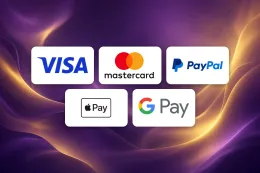
Have your payment method to hand and check that it is in your name. The methods you can pick from are Debit Card (Visa/Mastercard), PayPal, Apple Pay and Google Pay. For a debit card you need the card details. For PayPal, Apple Pay or Google Pay you need the account or wallet already set up on your device.
Decide on the amount before you open the cashier, and keep it to money set aside for entertainment. Gambling costs money, and a deposit is a payment for play, not an investment.
What happens behind a LottoGo deposit

Age and identity checks
LottoGo requires account verification. Every UK-licensed operator must confirm your age and identity before you can deposit or play, and it must also offer deposit limits, time-outs and self-exclusion. The documents you may be asked for are Photo ID and Recent proof of address. The verification guide explains what each one should show.
Have both documents ready as clear, complete images or scans. A photo with a cut-off corner, glare over the text or a blurred number can lead to a second request.
Choosing a payment method
The cashier offers Debit Card (Visa/Mastercard), PayPal, Apple Pay and Google Pay. They work differently in practice:
- Debit card: you enter the card details and confirm the payment. If your bank asks for extra confirmation, such as a code or an approval in your banking app, you complete it before the payment finishes.
- PayPal: you sign in to PayPal and approve the payment there. PayPal can also be used for withdrawals.
- Apple Pay and Google Pay: you confirm with the method you already use on your device. They work as wallets that sit on top of a card you have added.
The methods table above shows which of these can also be used for withdrawals. It is worth reading before you choose, because it is simpler to know in advance how you will get money back out. The withdrawals guide goes through that side.
Payments must be in your name
Use a card, PayPal account or wallet that belongs to you. A payment from someone else's card or account is a common cause of problems at the cashier and during verification. If your name on the LottoGo account differs from the name on the payment method, for example after a marriage or a change of surname, sort that out with support before you deposit.
Debit cards, not credit cards
Credit cards cannot be used for gambling in Great Britain. If you pay by card, it must be a debit card. If a wallet such as Apple Pay or Google Pay is linked to a credit card, your payment may be declined for the same reason. Use a debit card in the wallet instead.
The minimum amount
The cashier needs at least £20 per deposit. A smaller amount will not be accepted, so enter the amount before you confirm.
A welcome offer is a separate decision
If you are thinking about a welcome offer, read the terms on the welcome bonus page before you pay, so the amount and method you choose suit those terms. T&Cs apply.
18+ · T&Cs apply
If a deposit fails or an account check holds things up

The payment is declined
Start with the simple causes:
- The amount is below the minimum of £20.
- A digit in the card number, expiry date or security code is wrong.
- The card is a credit card. Switch to a debit card or another method from the list.
- Your bank has stopped the payment. Some banks block or query gambling transactions, so check your banking app or call the bank.
- The wallet is linked to a card that has expired or is not accepted.
If none of these applies, try another method from the list. Do not keep retrying the same payment many times in a row, because repeated declines may cause your bank to flag the card.
The money has left your bank but you cannot see it in your account
Check the bank statement or the PayPal activity page to see whether the payment is complete or still pending. A pending payment may not have reached LottoGo yet. If it shows as complete and your balance has not changed after a reasonable wait, contact support. Give them the date, the amount, the method used and a screenshot of the transaction. This helps them trace it faster.
A document is rejected or requested again
LottoGo asks for Photo ID and Recent proof of address. If a file is rejected, the usual reasons are that it is blurry, cropped, expired, or that the name or address does not match the account. Check that all four corners of the document are visible, that the text is readable and that the proof of address is recent. Then upload it again. The verification guide has more detail.
Never try to get round a check with someone else's documents or edited files. Support can tell you exactly what is missing if you ask.
You cannot log in to deposit
If your password or login details are not working, go through the login guide and make sure you are on LottoGo's own website or app. Do not enter your details on any other page that asks for them.
You are waiting on a withdrawal
If a withdrawal is taking longer than you expected, the withdrawals guide explains the process and what to check first.
When to contact support
Contact support when a payment has left your account but not arrived, when a document keeps being rejected, or when the cashier gives an error you cannot explain. Live chat is available 24/7 (live chat), and you can also email support. Include your account email, the amount, the payment method and the time of the attempt. The contact page lists the options.
Keeping your account and spending under control

Enter your password only on LottoGo's own website or app. Check the address in your browser before you sign in, and do not follow links from messages that ask you to log in or confirm a payment. Use a password that you use nowhere else, and keep your phone locked if you pay with Apple Pay or Google Pay.
Set a deposit limit before you make your first deposit. A limit you choose while calm is easier to keep than one you try to impose mid-session. The safer gambling page explains the tools available, and GAMSTOP at gamstop.co.uk covers self-exclusion across UK-licensed operators.
Keep your documents ready as clear images, with the name and address matching your account. Review your bank or PayPal statement from time to time and compare it with what you meant to spend. If a payment appears that you do not recognise, contact support and your bank straight away.
If you decide to stop depositing, stop. A deposit is never something you need to make to recover an earlier loss.